

The PHP programming language has long been considered a fairly light and simple solution for developers to use to create robust and creative web applications. In fact, that’s as true now as it has ever been as the past few versions of PHP have made the language more appealing than ever.
Like many other languages, PHP has the ability to take advantage of the power of MariaDB, and it’s actually a pretty simple and straightforward process.
But talk (or text in this case) is cheap. So to demonstrate this, I’ve created a simple PHP web application called Rolodex to manage contacts.
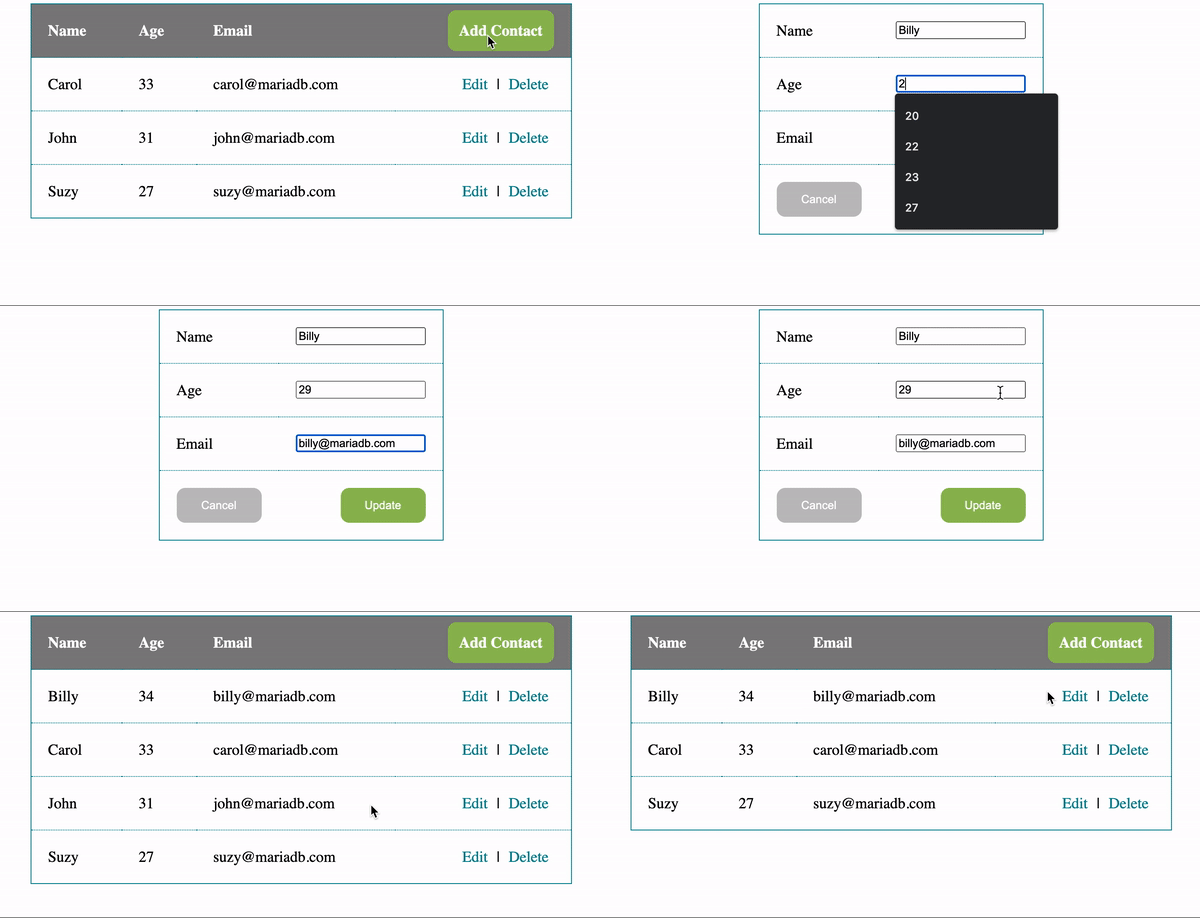 In this article I’m going to highlight, from a high level, some of the fundamental details of using PHP to connect to and communicate with a MariaDB database. Everything I’ll be exploring is based on the code for the Rolodex application, and if you’d like to dive into the code you can check it out here.
Preparing the database
Before jumping into the PHP code for the application it’s important to note that it uses a single database calledrolodex.
CREATE DATABASE `rolodex`;The
rolodex database contains a single table, contacts, that is used to store basic information.
CREATE TABLE `rolodex`.`contacts` (
  `id` INT(11) NOT NULL AUTO_INCREMENT,
  `name` VARCHAR(100) NOT NULL,
  `age` INT(3) NOT NULL,
  `email` VARCHAR(100) NOT NULL,
  PRIMARY KEY  (`id`)
);
The SQL necessary to run the Rolodex application can be found in the schema.sql file.
Configuring the application
To facilitate the use of a MariaDB database within the Rolodex PHP application I’ve created a new file called config.php that contains the configuration settings and database connection object that can be reused across PHP pages. Connecting to and communicating with an underlying MariaDB database is facilitated by the mysqli PHP extension. config.php<?php // Basic connection settings $databaseHost = '<host_address>'; $databaseUsername = '<user_name>'; $databasePassword = '******'; $databaseName = 'rolodex'; // Connect to the database $mysqli = mysqli_connect($databaseHost, $databaseUsername, $databasePassword, $databaseName); ?>Within the config.php file I’ve started by defining variables that hold the host address, username, password and default database that are used to create a new mysqli connection object, which contains a variety of configuration options that you can use to tailor to your environment.
Executing SQL
Using, and reusing, themysqli connection within config.php is as easy as including it within a PHP code block on another PHP page.
<?php
// Include the database connection file
include_once("config.php");
...
?>
Then, with an established connection, you have the ability to use a plethora of capabilities from the mysqli extension, including executing queries using mysqli_query.
<?php
// Include the database connection file
include_once("config.php");

// Fetch contacts (in descending order)
$result = mysqli_query($mysqli, "SELECT * FROM contacts ORDER BY id DESC");
?>
Selecting contacts using mysqli_query
Or, in the case that you need to handle dynamically inserted parameter values, you can use mysqli_prepare. Inserting data$stmt = $mysqli->prepare("INSERT INTO contacts (name,age,email) VALUES(?, ?, ?)");
$stmt->bind_param("sis", $name, $age, $email);
$stmt->execute();
Inserting contacts using mysqli_prepare
Updating data$stmt = $mysqli->prepare("UPDATE contacts SET name=?, age=?, email=? WHERE id=?");
$stmt->bind_param("sisi", $name, $age, $email, $id);
$stmt->execute();
Updating contacts using mysqli_prepare
Deleting data$stmt = $mysqli->prepare("DELETE FROM contacts WHERE id=?");
$stmt->bind_param("i", $id);
$stmt->execute();
Deleting contacts using mysqli_prepare
As you can see, getting started with PHP and MariaDB is easy, but we’ve only scratched the surface of what’s possible. If you’d like to see for yourself what else is possible with PHP and MariaDB, start by checking out the full source code for the Rolodex application in the new PHP Quickstart GitHub repository.