

Previously, I wrote an article introducing you to the idea of using JavaScript Object Notation (JSON) formatted data, completely free and out-of-the-box, with MariaDB, and why that’s so useful.
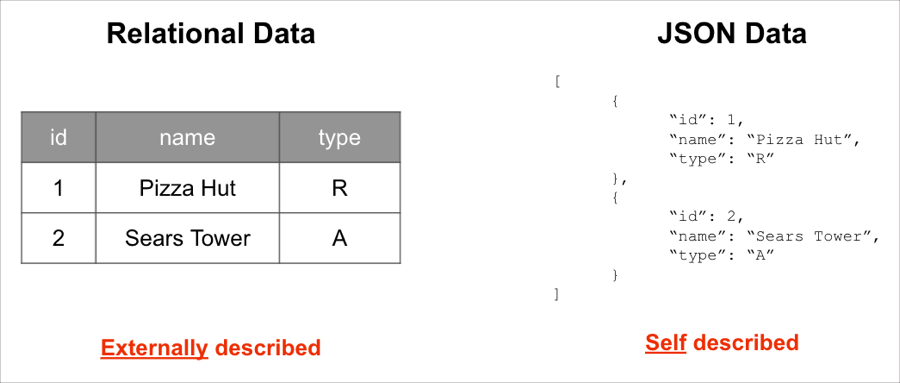 The gist was that the ability to combine the traditional structured data of a relational database with the flexibility of semi-structured JSON data provides an extremely powerful approach to solving a lot of problems presented by modern applications.
 And it’s at this point that you’re probably wondering what’s the easiest way to get started using JSON within a MariaDB database? Fear not, I’ve got just what you need!
The gist was that the ability to combine the traditional structured data of a relational database with the flexibility of semi-structured JSON data provides an extremely powerful approach to solving a lot of problems presented by modern applications.
And it’s at this point that you’re probably wondering what’s the easiest way to get started using JSON within a MariaDB database? Fear not, I’ve got just what you need!
Up and Running with MariaDB and Docker
Like you, I get that sometimes it’s just easier to understand something by diving directly into it. That’s why I’ve created a new repository that will get you up and running with MariaDB JSON functionality in a matter of minutes. Through the use of containerization comes the ability to spin up a MariaDB database and pre-load it with sample JSON, allowing you to go from nothing to querying in only a few minutes. In fact, the “MariaDB JSON Quickstart” repository accomplishes this using only two files. The first is a Docker Compose file. Docker Compose files provide a way to document and configure all of the application’s service dependencies, which includes things like databases, queues, caches, web service APIs, etc. Then, using the Docker Compose command line tool, you can create and start one or more containers for each dependency with a single command (docker-compose up).
The Compose file included in the repository, named docker-compose.yml, consists of the following:
version: "3"
services:
  mariadb:
    image: mariadb:latest
    container_name: mdb_json
    ports:
      - 3306:3306
    volumes:
      - ./data:/docker-entrypoint-initdb.d
    environment:
      MARIADB_ROOT_PASSWORD: 'Password123!'
As you can see, the Compose file is pretty simple. First, it’s going to spin up a new Docker container from the latest version of the official MariaDB Docker image. The file also includes configuration for the exposed ports (both internally and externally for the Docker container) as well as setting the password for the
root user.
You’ll also notice the configuration property volume. Volumes are the preferred mechanism for persisting data generated by and used by Docker containers.
TL;DR – I’ve used the volume property to target a SQL script file to create a new database and table and load the table with data.
But, by all means, don’t take my word for it. Check out the MariaDB JSON Quickstart repository for yourself!
